Vayu Ink
FileMaster
Suite
Extract. Organize. Clean.
Take control of your files with three simple Windows utilities.
Tired of messy folders, scattered files, and unnecessary empty directories? Vayu Ink FileMaster Suite brings together three lightweight file management tools to help you organize your digital workspace with less manual effort.
Extract files from nested folders, automatically arrange files into categories, and remove empty folders — all from one convenient bundle.
100% Free | Open Source | Windows Utility

THREE TOOLS. ONE COMPLETE SOLUTION.
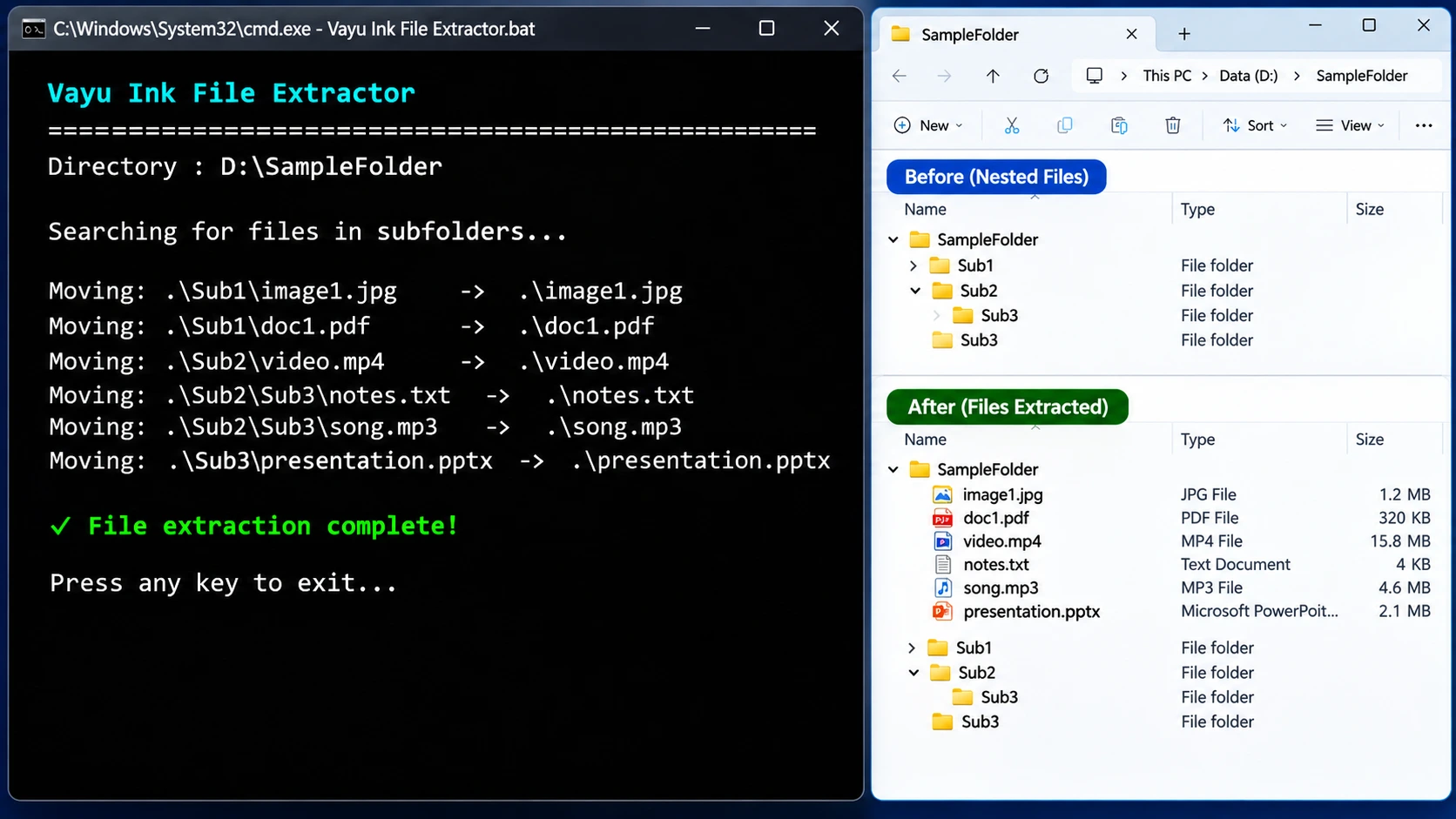
01. Vayu Ink File Extractor
Bring all your scattered files together.
Stop searching through multiple layers of folders to find your files.
File Extractor scans nested subfolders and moves eligible files into the main directory automatically.
Features:
Recursive folder scanning.
Extract files from multiple folder levels.
Move files into one central directory.
Skip batch files automatically.
Simple one-click execution.
02. Vayu Ink File Arranger
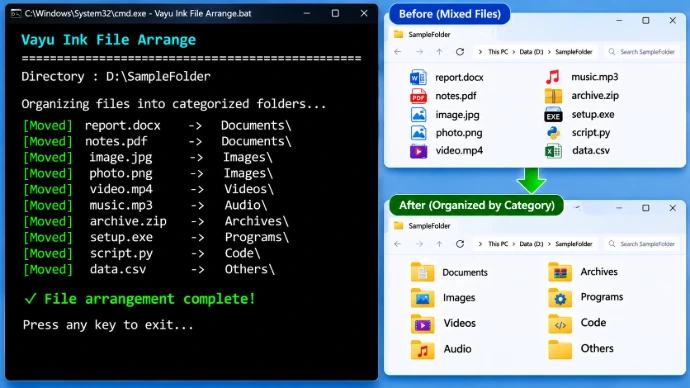
Let your files find their place.
Keep your files organized without manually sorting them one by one.
File Arranger identifies files by their extensions and automatically moves them into categorized folders.
Features:
Automatic file categorization.
Extension-based sorting.
Automatic category folder creation.
Supports documents, images, videos, audio, archives, programs, code, and more.
Unrecognized extensions go into an Others folder.
03. Vayu Ink Empty Folder Remover
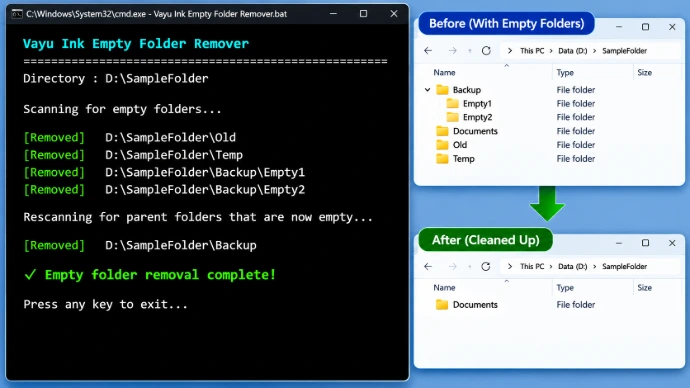
Clean up unnecessary folder clutter.
Remove empty directories and simplify your folder structure.
Empty Folder Remover scans subdirectories, identifies empty folders, and removes them. It also repeats the scan to remove parent folders that become empty.
Features:
Automatic empty folder detection.
Recursive directory scanning.
Removes newly empty parent folders.
Keeps non-empty folders intact.
Helps maintain a cleaner directory structure.
HOW IT WORKS
Three simple steps to a cleaner directory.
STEP 1 — EXTRACT
Run File Extractor to bring files from nested folders into the main directory.
STEP 2 — ORGANIZE
Run File Arranger to sort files into their respective categories.
STEP 3 — CLEAN
Run Empty Folder Remover to remove unnecessary empty directories.
Result: A cleaner and better-organized folder structure.
WHY CHOOSE FILEMASTER SUITE?
Three utilities in one bundle: Everything you need for basic file organization.
Simple operation: Run the supplied Windows batch files.
Automatic organization: Reduce repetitive manual file sorting.
Multiple file categories: Organize different types of digital content.
Lightweight utilities: No complicated graphical interface.
Free and open source: Released under the MIT License.
WHO CAN USE IT?
Vayu Ink FileMaster Suite is useful for:
Students managing academic files.
Office professionals organizing documents.
Developers managing project directories.
Designers handling images and creative assets.
Content creators managing videos and audio.
Anyone who wants to keep their folders organized.
PRODUCT INFORMATION
| Specification | Details |
|---|---|
| Product | Vayu Ink FileMaster Suite |
| Developer | Vayu Ink |
| Platform | Windows |
| Product Type | File Management Toolkit |
| Package | 3 BAT utilities |
| License | MIT License |
| Pricing | Free |
| Source Code | Open Source |
| Installation | No traditional installer required |
IMPORTANT INFORMATION
Vayu Ink FileMaster Suite moves files rather than copying them. Existing files with identical names may be overwritten. The utilities do not include an undo or recovery feature.
Always back up important files before running the utilities. Run each tool separately and test it on sample folders before processing important data.
© 2026 Vayu Ink. All rights reserved.